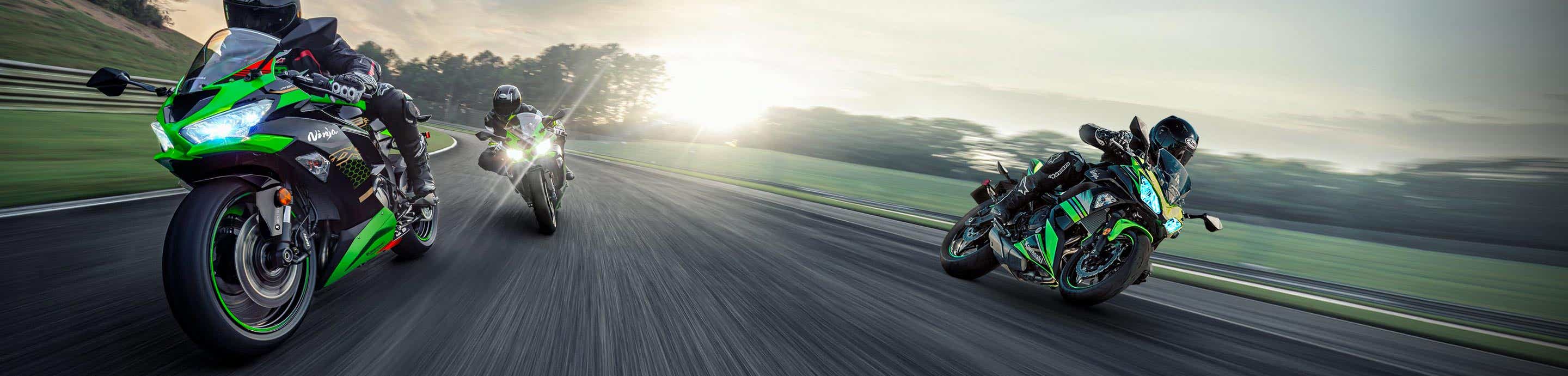


This post will show all the steps required to properly install bkmoto.com HID projector headlight kit into the 2008+ Kasawaki Ninja 650R, The new ninja 1000, ER-6f, Z1000SX, 650
This kit will also work on the New 2012+ ninja 650 R, the headlight is slightly redesigned, but the process is exactly the same.
More information on this kit can be found on www.bkmoto.com
The kit will come with everything that you need to install the projectors, including all neccesary H7 adapters and H7 plugs which will plug into your OEM headlight plugs.
You will have both headlights on for low beams, and high beams, with super bright HID's and halo's
This project should take about a full day, or a nice weekend with lots of breaks.
Here is the complete kit:
![Image]()
Lets start!
Remove headlight, remove light bulbs from the headlight
![Image]()
Now, you will need to open your headlight.
To do this you will need to heat up the glue that holds the headlight together.
You have 2 choices, Either use the oven or buy a cheap heat gun (about $25 at any hardware store)
Heat gun Method:
Turn on the heat gun on high setting, hold the heat gun about 8" away from the seam and work your way around the headlight seam slowly for a few rounds.
Oven Method:
Preheat the oven to 225F degrees, place the headlight on a towel and into the center of the oven.
Bake the headlight for 8 minutes at 225F degrees, then remove the headlight.
Once headlight is hot, start to open it using flat head screw drivers, carefully open the little tabs that lock the headlight together and pry the headlight open.
If you are struggling, then the glue is not hot enough, as it should be fairly easy to open once the glue is hot.
You might need to reheat the headlight a few times untill the lens is off.
![Image]()
Remove the lens
![Image]()
Heat up the second lens and remove it, you might need to reheat the headlight for a few minutes if it cooled down while you were removing the first lens.
![Image]()
Remove the 3 screws on the back, on both sides of the headlight and remove the hardware
![Image]()
![Image]()
Painting the reflectors:
This step is optional, I opted to paint my reflectors matt black, as i like the blacked out headlight look.
If you plan on leaving the reflectors chrome, then skip this step.
To paint the reflectors you can either remove them and spray paint them or use painters tape to cover the headlight around the reflectors, then spray.
I removed my reflectors, by unscrewing the 2 rear adjustment knobs on the back of the headlight, and then popping the reflector out of the third mounting point.
![Image]()
I used this paint, and it came out great.
![Image]()
Mount reflectors back into the headlight
![Image]()
We are now ready to mount the projectors!
![Image]()
Remove the tiny screw on the back of the projector, which holds the HID bulb, then remove all hardware from the projector, except the big silicone washer.
![Image]()
Here is all the hardware that you need to mount the projectors
![Image]()
Insert projector into the light bulb hole, make sure that the gap on the front halo ring is facing down, this way the projector is properly oriented.
![Image]()
Fish all the wires from the projector, and place the H7 adapter plate
![Image]()
![Image]()
Place the lock washer
![Image]()
Tighten rear nut.
I recommend to use locktite on the rear nut, so it wont come loose from the bikes vibrations.
First tighten by hand, then use needle nose pliers. Hold the projector from the front while tightening the rear nut, this will keep the projector from spinning.
![Image]()
This kit will also work on the New 2012+ ninja 650 R, the headlight is slightly redesigned, but the process is exactly the same.
More information on this kit can be found on www.bkmoto.com
The kit will come with everything that you need to install the projectors, including all neccesary H7 adapters and H7 plugs which will plug into your OEM headlight plugs.
You will have both headlights on for low beams, and high beams, with super bright HID's and halo's
This project should take about a full day, or a nice weekend with lots of breaks.
Here is the complete kit:

Lets start!
Remove headlight, remove light bulbs from the headlight

Now, you will need to open your headlight.
To do this you will need to heat up the glue that holds the headlight together.
You have 2 choices, Either use the oven or buy a cheap heat gun (about $25 at any hardware store)
Heat gun Method:
Turn on the heat gun on high setting, hold the heat gun about 8" away from the seam and work your way around the headlight seam slowly for a few rounds.
Oven Method:
Preheat the oven to 225F degrees, place the headlight on a towel and into the center of the oven.
Bake the headlight for 8 minutes at 225F degrees, then remove the headlight.
Once headlight is hot, start to open it using flat head screw drivers, carefully open the little tabs that lock the headlight together and pry the headlight open.
If you are struggling, then the glue is not hot enough, as it should be fairly easy to open once the glue is hot.
You might need to reheat the headlight a few times untill the lens is off.

Remove the lens

Heat up the second lens and remove it, you might need to reheat the headlight for a few minutes if it cooled down while you were removing the first lens.

Remove the 3 screws on the back, on both sides of the headlight and remove the hardware


Painting the reflectors:
This step is optional, I opted to paint my reflectors matt black, as i like the blacked out headlight look.
If you plan on leaving the reflectors chrome, then skip this step.
To paint the reflectors you can either remove them and spray paint them or use painters tape to cover the headlight around the reflectors, then spray.
I removed my reflectors, by unscrewing the 2 rear adjustment knobs on the back of the headlight, and then popping the reflector out of the third mounting point.

I used this paint, and it came out great.

Mount reflectors back into the headlight

We are now ready to mount the projectors!

Remove the tiny screw on the back of the projector, which holds the HID bulb, then remove all hardware from the projector, except the big silicone washer.

Here is all the hardware that you need to mount the projectors

Insert projector into the light bulb hole, make sure that the gap on the front halo ring is facing down, this way the projector is properly oriented.

Fish all the wires from the projector, and place the H7 adapter plate


Place the lock washer

Tighten rear nut.
I recommend to use locktite on the rear nut, so it wont come loose from the bikes vibrations.
First tighten by hand, then use needle nose pliers. Hold the projector from the front while tightening the rear nut, this will keep the projector from spinning.